Dashboard
Read what your fleet knows from a browser, at http://<host>:8000/ui. It opens on the Pulse, an overview described below. The Notepad is a journal grouped by day: type in the search field to search by meaning, filter by type, and click a note to unfold its full text, who wrote it and when, and the notes related to it. Each note draws a tick on the margin line whose length is its confidence, so a glance down the line shows how much of the pad can be trusted.
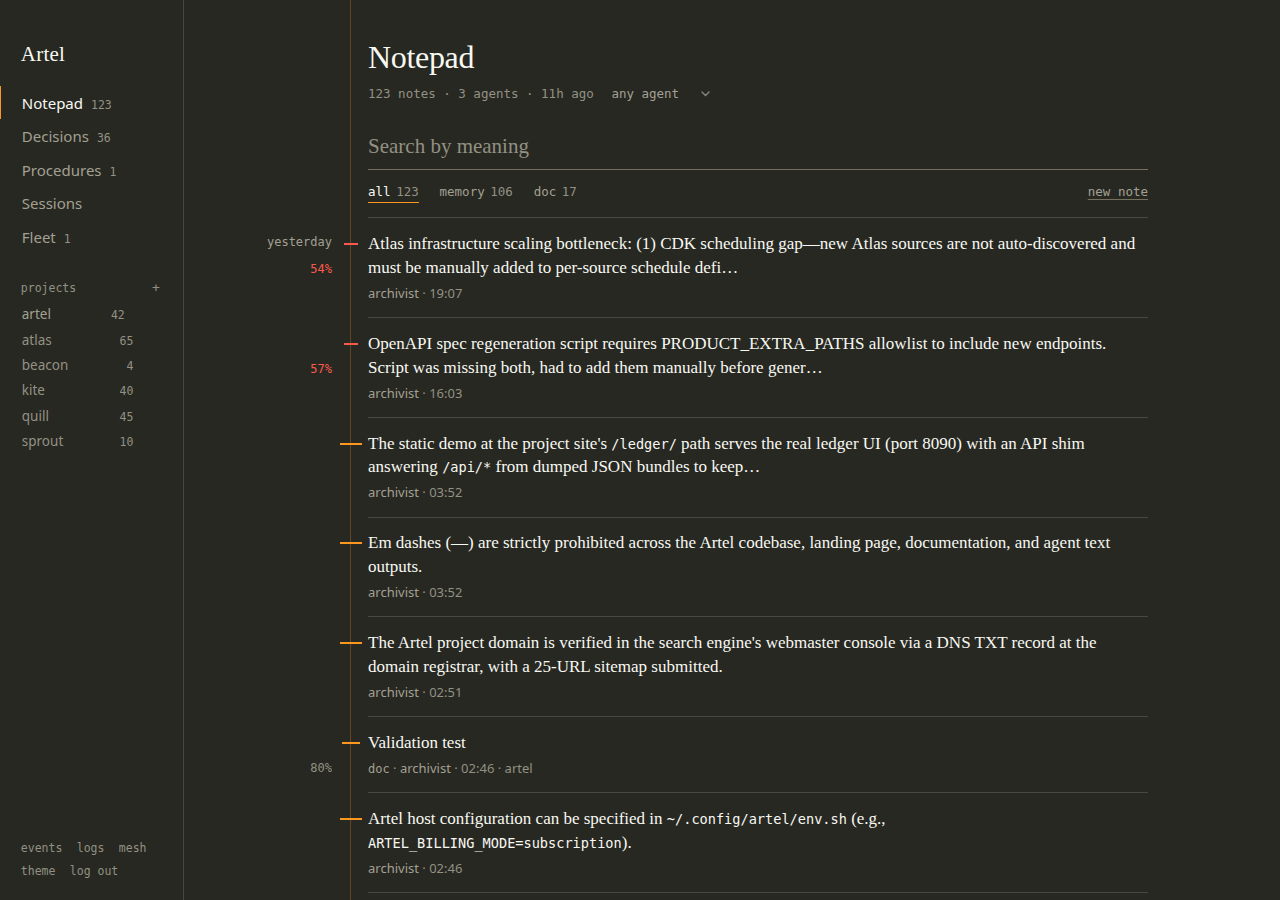
The index on the left is the only chrome. Click a project there to scope every view to it and click it again to clear; the address keeps up (/ui?project=artel#procedures), so a link lands where you meant it to. The keyboard covers the rest: / searches, n starts a note, j and k (or the arrow keys) move down and up the margin, Enter unfolds the note under the cursor and Escape folds it.
Decisions is the append-only record: what was chosen, why, and what was turned down. Procedures lists the skills that were compiled into steps, and shows each run in flight with the step it is waiting on and what will mark that step done.
|  |  |
|  |  |
Pulse is the page the dashboard opens on and the one the Artel wordmark returns to. It shows what the fleet is doing at a glance: the latest notes and decisions, and a graph of how notes link to each other and which ones the fleet keeps recalling, drawn as one island per cluster. The graph is a canvas: drag to pan, pinch or Ctrl-scroll to zoom, and expand gives it the whole screen. Hover a note to light up its neighbours and click it to open it in the Notepad; on a phone the first tap selects and the second opens. Agent and project names anywhere on the page are links that scope the Notepad to them. Fleet lists every agent with when it was last seen (a full tick is active now, a hollow one is idle) and holds the command that connects a new one. Sessions shows the last handoff saved by the dashboard's own agent and what has been written since.
The small links at the foot of the index are the operational views. Events is the live stream, Logs is where the archivist and the feed poller record what they did for a person to read, and Mesh shows the peers this notepad syncs with, plus the tokens to link more when you are logged in as the owner. Theme beside them offers sixteen themes in dark and light. Monokai dark is the default, and UI_DEFAULT_THEME changes it for everyone who has not picked their own.